
Electronic Locker Spare Parts — Locks, Control Boards and Firmware Support for Importers
An electronic locker that fails in service almost always fails in one of three places: the door lock, the control board, or the firmware that ties the two together. The steel body, the shelf, the paint — those usually outlive the electronics.
For importers and distributors that matters at the ordering stage, not after the first complaint. When one door stops latching, the customer is not shopping for a new cabinet. They want a lock, a board or a firmware file, and they expect the supplier to have it.
Here is what we tell buyers who handle their own after-sales: what fails, what to keep on the shelf, and what to ask for before the container leaves.
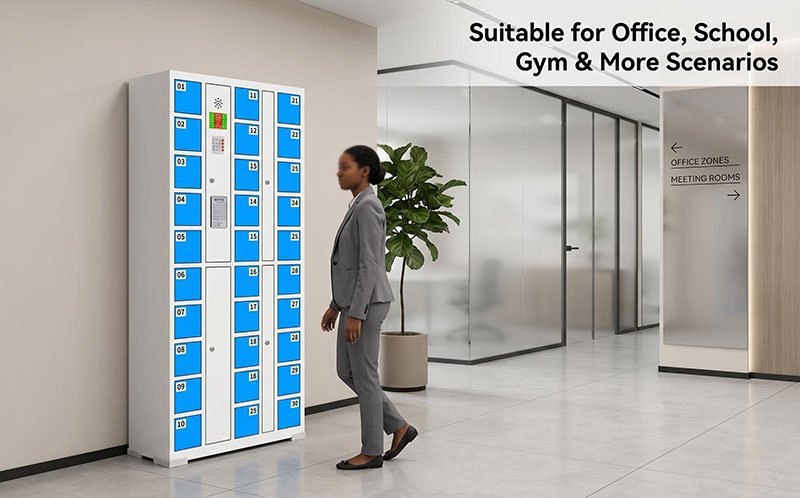
What fails first, and what to keep on the shelf
Door count and traffic decide the order of failure, but the pattern repeats across schools, factories, gyms and retail. Nearly every service call comes from one of five parts.
| Part | What the customer reports | Spare worth holding |
|---|---|---|
| Electronic door lock | One door will not latch, or the door pops open after locking | 2–5% of total door count |
| Control board | A whole section is dead; doors stay locked and the screen is blank | One board per locker bay |
| Keypad and card reader | Slow response, dead digits, two or three passes to read a card | One unit per ten bays |
| Door number strip | Numbers peeled or faded, users opening the wrong door | A full spare sheet |
| Door catch and hinge | Door drops on one corner and the catch no longer lines up | A handful per container |
Most importers start their kit with locks and labels, because both are small, light and cheap to freight. Boards cost more, so they travel inside the container rather than by air three months later.
Door locks: the first part you will replace
Every door carries its own lock, released by the control board. When a lock fails the symptom is nearly always mechanical: the door will not stay shut, or it opens without a code. The lock is a serviceable part and swaps in minutes once the door panel is open.
Three things worth checking before you commit to a spare lock order:
- Connector type. Two locks can look identical and still use different plugs. Match the plug to the board, not to the photo.
- Voltage and drive. Locks are driven by the board, so the spare has to match the board revision in that bay.
- Door sensor. Some models report door state separately. If the sensor is on the lock, the spare has to carry it too.
Door geometry stays constant across the range, which keeps spares manageable. Door width is 300mm on every model, and the cabinet body is 1800mm high by 460mm deep. Door height changes with the door count — the six-door unit runs 555mm doors, while the multi-door models use shorter doors — so check the label size against the model before ordering.
Control boards and firmware: match the revision, not the model
The locker control board is the part buyers underestimate. Two cabinets can carry the same model number and still run different board revisions, and a board is not interchangeable between them. Ordering “the board for the 24-door locker” is how a replacement arrives and does not work.
That is also why the control board carries a two-year warranty while the rest of the cabinet carries one. The board is the component most exposed to voltage swing, dust and heat, and it is the one buyers ask about first.
Ask for three things on the order and keep them with the container documents:
- The board part number and revision that shipped with the batch
- The firmware file that matches that revision
- The wiring diagram and keypad protocol for the bay
With those three, a technician confirms a replacement without opening the cabinet twice, and a question from the customer’s IT team becomes an email instead of a site visit.
Keypads, readers and labels: the small parts that stop a bay
Keypads and card readers rarely die outright. They degrade. A digit stops registering, the reader needs two or three passes, the display dims. The bay still technically works, so nobody reports it until users start complaining at the service desk.
Labels are the cheapest item in the kit and the one that runs out first. A peeled door number turns a two-second drop-off into a conversation.
What the spare-parts kit usually contains
A workable kit for a first container of lockers, in the order buyers tend to build it:
- Door locks — sized to door count, with matching plugs and sensors
- Door number labels — one full spare sheet per cabinet colour
- Keypad or reader units — one spare per installation site
- Control boards — one per model and revision in the container
- Firmware files and wiring diagrams — digital, kept with the shipping documents
- Door catches and hinge pins — small, cheap, and awkward to source locally
How these lockers are built and checked
These cabinets are built on the same steel line in Luoyang that runs the rest of the commercial locker range we supply. The access modules — locks, keypads, readers, control boards — come from established access-control suppliers, and they are integrated and tested before packing, so a container arrives as a working system rather than a locker-plus-reader kit.
Two things we record and can pass on with the order: the firmware version burned into each batch, and the board revision it was matched to. Every door is cycled before packing, and each powered section is tested with the access module in place.
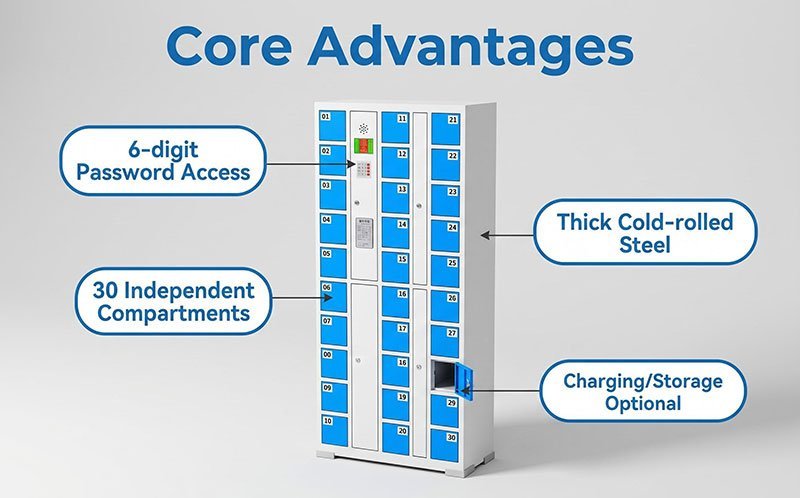
Custom configurations are routine: mixed door counts, branded colours for chain customers, and reader types matched to the network the customer already runs. Send the layout, the access type and the user profile, and we will come back with the configuration and the spare list that fits it.
Common questions
Can I order electronic locker spare parts separately from a cabinet order? Yes. Spares ship on their own, loose in the same container or as a separate consignment once the customer’s first fault list arrives. Locks, labels and keypads go by air without much cost. Boards are worth shipping with the container.
How do I know which board revision my container has? The revision is recorded per batch and passed on with the order documents. If a container is already in the field, send the serial or batch number and we will match it.
What does the warranty cover? One year on the cabinet, two years on the control board. Spare parts ordered later carry the same cover from their own delivery date.
Can you supply the firmware and the wiring diagram? Yes, with the order. The diagram is what lets the customer’s own technician work on the bay without waiting for an engineer to fly in.
Do you offer OEM branding on lockers and spares? Yes. Door labels, colour schemes and packaging can be branded, and the same applies to the spare kit so the customer’s parts box matches the cabinet.
The short version
Electronic lockers fail at the lock, the board and the firmware — in that order. Importers who order a small spare kit with the container, and who keep the board revision and firmware file with the shipping documents, spend their after-sales time on email rather than on freight.
Send the door count, the access type and your market, and we will come back with the configuration, the spare list and a quote within 24 hours.
Barcode vs Face-Recognition vs PIN Lockers: Which Access System Fits Your Store?
Barcode for one-time visitors, face recognition for registered members, PIN for flexible shared use: a side-by-side comparison for stores choosing a locker access system.
Read articleSupermarket Barcode Locker Guide: How Many Doors Does Your Store Need?
Count bag-carrying customers at peak hour, halve it, multiply by 1.3: how many doors your supermarket barcode locker system needs.
Read articleSteel Filing Cabinet Mistakes: 5 Specs That Ruin Office Storage Before the First Audit
Five filing cabinet specs that ruin office storage: slide ratings, lock type, drawer depth, coat thickness, and anti-tip design.
Read article