
Barcode vs Face-Recognition vs PIN Lockers: Which Access System Fits Your Store?
A supermarket with 200 lockers does not choose an access system because it looks modern. It chooses an access system because the customers can use it without help, the staff can maintain it without a specialist, and the failure rate over five years does not turn the locker area into a service desk problem. The three main options are barcode, face recognition, and PIN, and each one fits a different store profile.
Here is a side-by-side breakdown of the three systems so you can pick the one that matches your store layout, your customer base, and your maintenance budget.
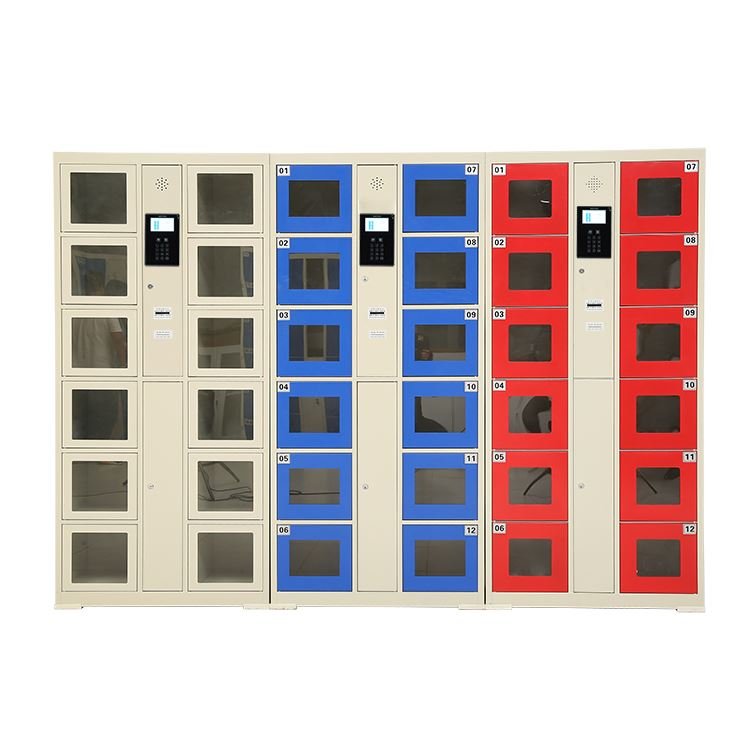
Barcode lockers: the one-scan standard
A barcode locker prints a ticket or reads a phone screen, and the customer opens the door with a scan. The printer is the only moving part, and when it breaks the lock itself still works because the lock and the reader are separate components. For supermarkets, shopping malls, and transit stations where the user is a one-time visitor who does not want to register or remember anything, the barcode system is the lowest-friction option.
The maintenance story is simple: the printer needs a paper roll change every few weeks and a thermal head clean every few months. The rest of the system is solid state. Over a five-year period the barcode system has the lowest total cost of ownership of the three options because the consumable is paper, not a component that needs firmware or an internet connection.
| Dimension | Barcode | Face recognition | PIN |
|---|---|---|---|
| Speed per use | 3 seconds | 2 seconds | 5 seconds |
| User registration | None | One-time face scan | Set PIN at use |
| Maintenance complexity | Low (paper roll + head clean) | Medium (camera clean + firmware) | Low (keypad replacement) |
| Failure impact | Printer down, locks still work | Camera down, whole unit offline | Single keypad failure, other doors fine |
| Best for | Supermarkets, transit, malls | Gyms, offices, member clubs | Hotels, pools, schools |
Face recognition lockers: the registered-user system
A face recognition locker scans the customer face and opens the door without a ticket, a card, or a code. The speed is the fastest of the three: two seconds from approach to open. The catch is that the customer has to register their face once, which means the system works best in environments where the same people come back: gyms, office buildings, university libraries, and member-only clubs.
The camera is the component that determines the system quality. A cheap camera in a dim locker room fails in low light and misreads in direct sunlight. We fit wide-angle infrared cameras that work in light levels from 50 to 10,000 lux, and the firmware runs locally so the system does not depend on a cloud connection to open the door.
PIN lockers: the no-hardware option
A PIN locker asks the customer to set a four- to six-digit code when they close the door, and the same code opens it. There is no printer, no camera, and no card reader: just a keypad on each door. For hotels, swimming pools, and schools where the same locker is used by different people throughout the day, the PIN system is the most flexible because it resets with every user.
The weakness of a PIN locker is the human factor: customers forget codes, and staff have to open the door with a master key. The rate runs at two to five percent of uses depending on the facility, and it is manageable as long as the master key system is in place and the staff knows the override procedure. We include a master key with every PIN locker shipment and a quick-reference card for the service desk.
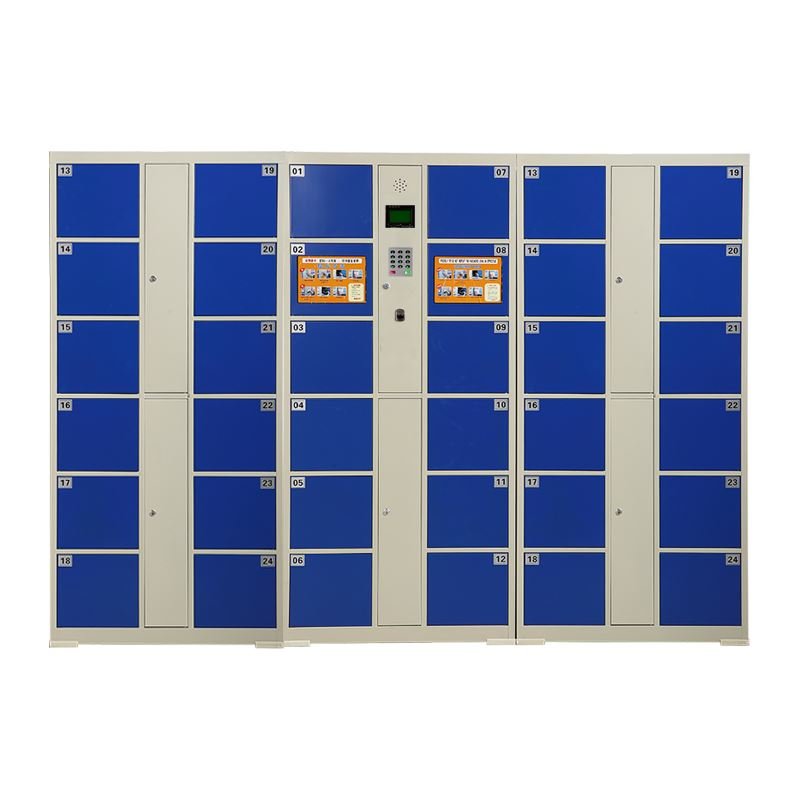
Network and offline behavior
A barcode locker works entirely offline. The ticket printer and the scanner talk to the local controller, and the locker does not need an internet connection to operate. A face recognition locker also works offline once the face database is loaded to the local memory, but it needs a network connection for the initial registration and for any firmware updates. A PIN locker is fully offline: the keypad talks to the lock controller and nothing else.
For stores in locations with unstable internet, the barcode and PIN systems are the safer choice because they never depend on a cloud service to open a door. Face recognition works offline too, but the registration step and the firmware update step both need a connection, and if the store network goes down during a busy hour the new customers cannot register.
How we build ours
Our locker bodies come off the same steel production line in Luoyang as the rest of our commercial locker range. The access modules, barcode, face recognition, and PIN are sourced from established access-control suppliers and integrated at our factory, so the unit arrives as a tested system and not a locker-plus-reader kit that needs on-site assembly.
Custom options are routine: mixed configurations where some doors use barcode and others use PIN, branded color schemes for chain stores, and integration with existing store membership systems for the face recognition models. Send the store layout and the user profile, and we will return the configuration that fits.
Common questions
Can I mix access types in one locker bay? Yes. Some stores run barcode on one section for walk-in customers and PIN on another section for staff. We configure the controller to handle mixed access on the same bay, and the software reports each section separately.
What happens when the paper runs out in a barcode locker? The locker displays a paper-empty warning on the screen, and the staff replaces the roll in two minutes. The doors already occupied stay locked and work normally; only the new-ticket function pauses until the roll is replaced.
How long does the face registration take? Ten seconds. The customer stands in front of the camera, the system captures the face, and the locker assigns a door. No app, no form, no phone number.
Do you offer RFID or NFC as well? Yes. RFID and NFC modules are available as a factory-fit option for stores that already run a card or wristband system. Tell us the existing card type and we will match the reader.
Which system has the lowest five-year cost? Barcode. The paper roll costs a few cents per ticket and the printer head is the only wear part. PIN is second because the keypad is durable. Face recognition is the highest because the camera module and the firmware support add a maintenance layer that the other two do not have.
The short version
Barcode for one-time visitors, face recognition for registered members, PIN for flexible shared use. Each system fits a different store profile, and the choice comes down to who uses the locker, how often they come back, and whether the store can handle a camera that needs firmware updates. Send us the layout and the customer type, and we will return the configuration and the quote.
Mobile Tool Cart Guide — Casters, Ball-Bearing Slides and the Parts That Give Out First
A tool cart and a tool cabinet do not fail in the same order. Put a...
Read articleFlammable Storage Cabinet Venting — When Ducting Is Required and When to Leave Bungs In
Most flammable storage cabinets should stay sealed. NFPA 30 does not require venting for fire protection,...
Read articlePhone Charging Locker Specs — Bay Count, Power Draw and Lock Type Buyers Must Pin Down First
Three specs decide whether a container of phone charging lockers sells through or comes back as...
Read article