Supermarket Barcode Locker Guide: How Many Doors Does Your Store Need?
Supermarket Barcode Locker Guide: How Many Doors Does Your Store Need?
Every supermarket buyer who contacts us about barcode lockers eventually asks the same question: how many doors do we need? The answer is never in the catalog. It is in your store, and it takes three numbers to find.
Peak queue length, average visit time, and peak hours. Get those three numbers and the door count works itself out. Get them wrong and the store either buys lockers that stand empty half the day or lockers that build a queue of their own at the entrance.
How a barcode locker actually works
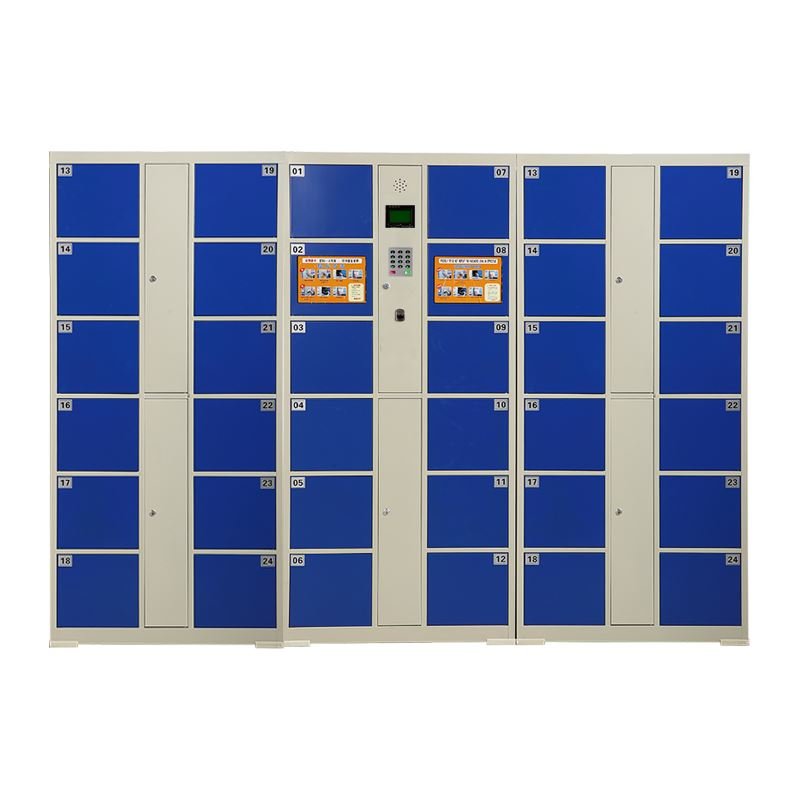
A barcode locker is the simplest form of electronic storage: the customer presses a button, the machine prints a paper barcode, a door opens, and the bag goes in. On the way out, the customer scans the paper and the same door opens. No key, no card to return, no staff involved.
That simplicity is why supermarkets choose barcode systems over card systems: a lost barcode costs the customer one reprint at the service desk. A lost card system costs every shopper a card to keep, return, and lose. For a store where thousands of strangers pass daily, the paper barcode wins every time.
The door count formula
Count the customers carrying bags into the store during the busiest hour. Divide by two, because roughly half of them will use a locker, and the other half will carry their bags in. Then multiply by 1.3 for overlap, the moment when one customer is collecting while another is waiting to store. The result is your door count, rounded up to the next standard unit.
| Store size | Typical doors | Setup |
|---|---|---|
| Small neighborhood market | 12 to 24 | One unit at the entrance |
| Mid-size supermarket | 36 to 48 | One 36-door unit, expandable |
| Large hypermarket | 72 to 120 | Master unit plus extension cabinets |
We build units from 12 doors up to 120 doors in master-plus-extension layout. The master cabinet holds the screen, the printer, and the control board. The extension cabinets are plain door banks that plug into the master, so a store that grows can add doors without replacing the system.
Door size: the part nobody asks about
A door that holds a handbag but not a shopping bag full of groceries misses the point of the machine. Standard door sizes run around 300 mm wide and 280 to 430 mm high, with the taller doors reserved for coats and backpacks. Check the internal depth too: winter coats eat depth, and a locker that will not close on a puffy jacket creates a line of its own.
For supermarkets in cold regions, we mix tall doors into the layout: the bottom rows for groceries, the top rows for coats. A mixed layout costs the same as a uniform one and solves the winter queue problem before it starts.
The panel that decides the experience
The customer touches two things: the button and the barcode paper. The screen is third, and only when something goes wrong. So the buying questions are about those two things.
Printer. Thermal printer, not ink. Thermal paper costs less per meter, prints fast, and works in cold entrance areas where ink printers jam. Check that the printer loads from the front, because the staff member who changes the paper roll should not need to open the cabinet.
Scanner window. A scratched scanner window is the most common failure we repair. Ask whether the window glass is tempered and replaceable as a spare part. On our units it is both, and the spare ships in the same box as the cabinet.
Power, placement, and the service desk
Barcode lockers need one standard power outlet and a floor that is level. Place the unit near the entrance but not in the doorway flow, and keep it within sight of the service desk. When a customer loses a barcode, the staff fixes it at the desk with the admin password, and the whole process takes one minute if the desk can see the machine.
The admin side matters more than the customer side for daily operation. Ask about the management functions before buying: open any door remotely, clear a door after closing time, print usage reports, and set the auto-clear time. Every unit we ship includes all four, and the staff manual is one page.
What a broken locker costs in lost sales
A door that stays stuck on a busy Saturday does not just inconvenience one customer. It removes a door from the system at exactly the moment the store needs every door. When three doors are down and the queue at the entrance reaches six people, some shoppers turn around, and the lost basket value passes the cost of a spare door module in one weekend.
That is why the spare-parts question belongs in the first quote, not in the first repair. Ask which parts are field-replaceable, which ship with the unit, and how long a replacement board takes to arrive. Our answer: doors, locks, scanner glass, and printer modules are all front-serviceable, spares ship in the same container, and a replacement board ships by courier within a week.
How we build ours
Our barcode lockers come off the same steel furniture line in Luoyang as our lockers and cabinets. The electronic part is the one thing we do not make in-house, and we say so openly: the control boards and printers come from specialist suppliers we have used for years, and we keep spares in stock for every board generation we ship.
Before shipping, every door is opened and closed on the line, the printer runs a test strip, and the unit runs a 24-hour power-on test. The doors ship locked, and the install is two people and one screwdriver.
Common questions
What happens during a power cut? Doors stay locked and the barcode data is held in memory. When power returns, the system recovers by itself. For stores with frequent cuts, we add a small UPS inside the master cabinet.
Can customers use the lockers without staff help? Yes. Store, scan, collect: the whole loop is self-service. Staff only get involved for lost barcodes and end-of-day clearing.
Do the doors rust in humid climates? The cabinet body is powder-coated steel, the same coating we use on outdoor lockers. For coastal stores, we upgrade the hinges and the lock bodies to stainless at the quote stage.
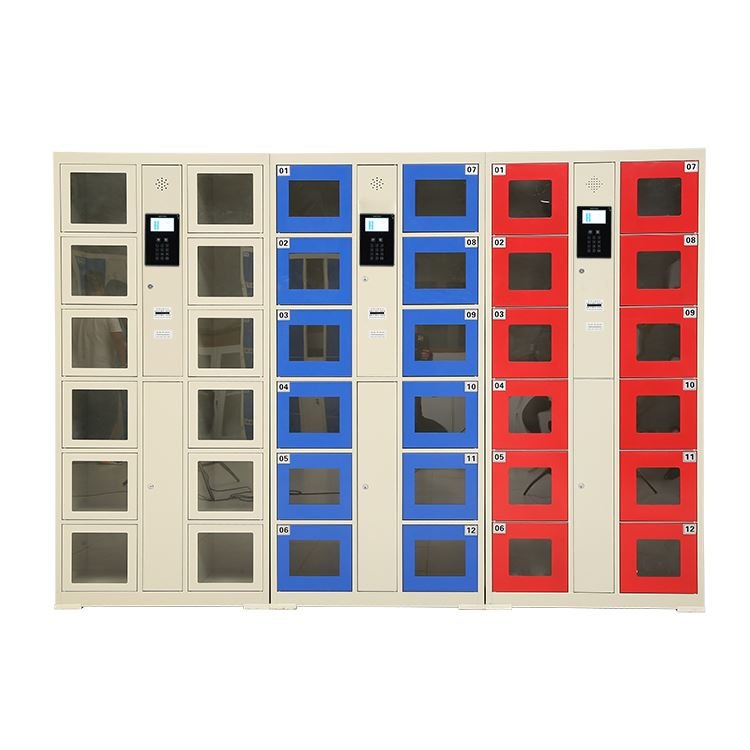
Can we brand the cabinet? Yes. Door colors, front panel printing, and even a full wrap with the store brand are standard options. Colors help too: a bright cabinet at the entrance is its own sign.
How long does a unit last? The steel body lasts as long as any commercial locker, ten years and more. The printer and the scanner window are wear parts, which is why they are front-serviceable and shipped with spares.
Do we need a staff member to manage the lockers? No full-time role is needed. Morning power-on, end-of-day auto-clear, and a weekly paper roll check cover it. The admin functions sit behind a password on the screen, and the one-page manual lives at the service desk.
The short version
Count bag-carrying customers at peak hour, halve it, multiply by 1.3, and order that many doors with a mixed layout if winters are cold. Then check the printer type and the scanner window glass. Send us your store size and daily foot traffic, and we will return a door plan with the quote.
Smart Phone Storage Lockers: Barcode and Face-Recognition Models
Door count per site size, power layout, and management options for phone storage lockers.
How to Choose Steel Filing Cabinets and Wardrobe Lockers for Offices, Schools, and Factories
Drawers for paper, vents for coats: choosing steel storage room by room.
Stainless Steel Cleaning Cabinet Guide: What a Janitor Closet Actually Needs
Hanging space for mops, vents for wet cloths, a lockable shelf for chemicals.