
Device Charging Cabinet Guide: How Many Slots a 50-Student Classroom Actually Needs
A school with 50 students in a classroom and 30 charging slots in the cabinet has a problem that shows up on day one: 20 students are standing around waiting for a slot, and the teacher is now a charging station manager. The slot count is the number that decides whether the cabinet works or becomes a daily frustration, and most schools get it wrong on the first order because the formula is not as simple as one slot per student.
This guide breaks down the slot count math, the charging speed factor, and the ventilation and security details that turn a box with power strips into a device charging cabinet that actually works in a school.
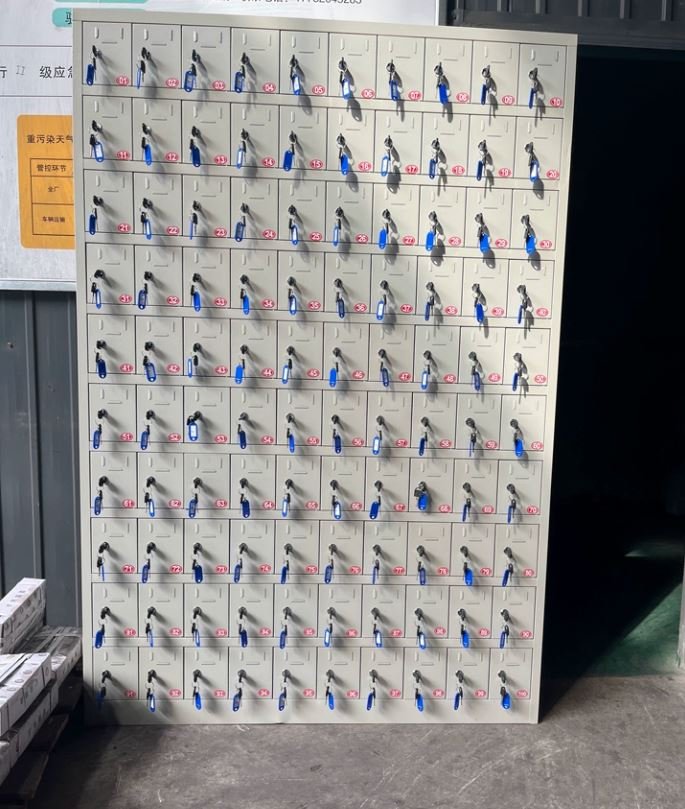
The slot count formula: why one-per-student is too many and too few
The one-slot-per-student rule sounds logical but it ignores how devices are used in a classroom. In a typical school, not every student brings a device every day, and not every device needs to charge at the same time. The real number is the peak simultaneous charge demand: how many devices are plugged in at the moment the cabinet is fullest.
For a 50-student classroom, the peak is usually 60 to 70 percent of the student count: 30 to 35 devices at any given time. A 32-slot cabinet covers that peak with a small buffer. A 48-slot cabinet covers it with room for growth. The decision between 32 and 48 depends on whether the school plans to increase device adoption in the next three years.
| Student count | Peak demand (60-70%) | Recommended slots | Buffer for growth |
|---|---|---|---|
| 30 | 18-21 | 20 | Small |
| 50 | 30-35 | 32 | Small |
| 50 | 30-35 | 48 | Large |
| 80 | 48-56 | 64 | Medium |
Charging speed: the detail that changes the slot count
A cabinet with 32 slots and 5-volt 1-amp charging per slot charges a full classroom of tablets in 4 to 5 hours. A cabinet with 32 slots and 5-volt 2.4-amp charging per slot charges the same devices in 2 to 2.5 hours. The faster charging means the cabinet can serve two classes in a day instead of one, which means the school needs half as many cabinets.
The power supply is the bottleneck. A cabinet with 32 slots and a single power supply will throttle the charging speed when all 32 devices are plugged in. We use individual power management per slot so each device gets the full 2.4 amps regardless of how many other slots are occupied.
Ventilation: the part that prevents a fire risk
Thirty-two devices charging in a closed box generate heat. If the box has no ventilation, the heat builds up and the devices throttle their charging speed to protect the battery, which means slower charging. In a worst case, the heat damages the battery and creates a fire risk. A charging cabinet needs active or passive ventilation that keeps the internal temperature below 35 degrees Celsius.
We build passive ventilation into every cabinet: vent slots on the top and bottom panels that create a convection airflow. For schools in hot climates or cabinets that are placed in enclosed rooms, we offer a fan module as a factory option. The fan is a low-noise unit that runs on the same power circuit as the chargers and adds 3 decibels of noise at one meter.
Lock and security: protecting the devices when the room is empty
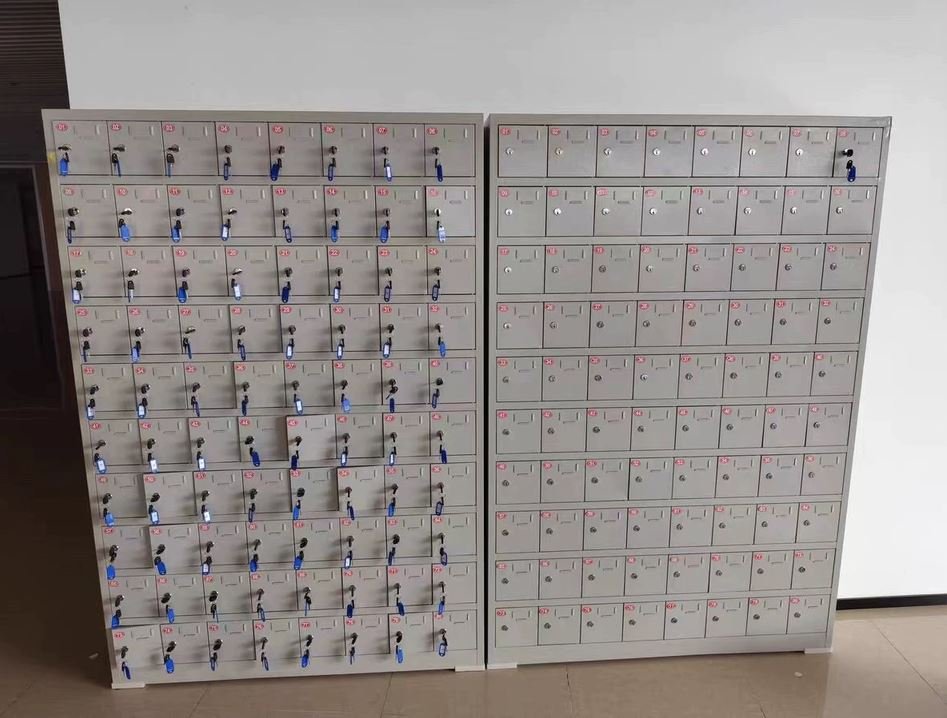
A charging cabinet in a classroom that stays unlocked during break time is an invitation. The lock system has to be simple enough for a student to operate and secure enough to keep the devices safe when the room is empty. A keyed lock is the standard: one key for the teacher, one key for the IT manager, and a spare key in the school office.
We use a central lock with a single key turn that opens all slot doors simultaneously. Individual slot locks are an option for schools that assign specific devices to specific students, but they add time to the charge-and-retrieve cycle and most schools prefer the faster central lock.
How we build ours
Our device charging cabinets are built on the same steel production line in Luoyang as our other commercial storage products. The charging modules are sourced from certified power supply manufacturers and integrated at our factory, so the cabinet arrives as a tested unit and not a shell with power strips inside.
Custom options are routine: slot count from 10 to 64, charging speed from 1 amp to 2.4 amps per slot, ventilation type, lock type, and color. We also offer a mixed configuration where some slots are sized for tablets and others for laptops. Send the device list and the room dimensions, and we will return the cabinet spec with the quote.
Cable management and the mess that slows down every class
A charging cabinet without cable management becomes a nest of tangled USB cables by the end of the first week. The teacher spends three minutes untangling cables before every class, and that three minutes multiplies by six classes a day and 180 school days a year. The fix is a per-slot cable channel that routes each cable from the power module to the device slot without crossing other cables.
We build the cable channel into the back panel of every cabinet, and we include pre-cut USB cables in the shipment that fit the channel length exactly. The cables are replaceable with any standard USB cable, but the pre-cut length prevents the excess cable from bunching up inside the channel and creating the tangle the system was designed to prevent.
Common questions
Can the cabinet charge laptops and tablets at the same time? Yes. We offer mixed-size slots where the top rows are sized for tablets and the bottom rows are sized for laptops. The power supply is the same for all slots, and the charging speed adjusts to the device automatically.
What happens if a device is left in the cabinet over the weekend? The charging system stops charging when the device battery is full and switches to a trickle maintenance mode. The devices do not overcharge and the power consumption in maintenance mode is minimal.
Can the cabinet be wall-mounted? Yes. Wall-mounted models are available for classrooms where the floor space is limited. The wall must support the weight of the cabinet plus 32 devices, which runs between 80 and 120 kilograms depending on the device type.
Do you provide a power cable management system? Yes. Each slot has a dedicated cable channel that routes the charging cable to the device without tangling. The cables are included in the shipment and are replaceable as a standard USB cable.
What is the warranty on the charging module? The charging module carries a one-year warranty. The steel cabinet body carries a one-year warranty. We include a spare charging module in every shipment so the school IT team can replace a failed module without waiting for a service visit.
Can the cabinet be moved between classrooms? Yes. We offer a mobile version on heavy-duty casters with a total lock. The casters add 80 millimeters to the cabinet height and allow a single staff member to roll the cabinet between rooms. The power cable is a detachable 3-meter cord that wraps on a hook on the back panel during transit.
The short version
32 slots for a 50-student classroom, 2.4 amps per slot for fast charging, passive ventilation with fan option, central lock with keyed-alike option. Four things that turn a steel box into a device charging cabinet. Send us the student count and the device type, and we will return the cabinet spec with the quote.
Boltless Steel Shelving Guide — Beam Pitch, Deck Type and How Load Ratings Actually Add Up
Boltless shelving is held together with keyhole slots and snap-in beams. There is no bolt, no...
Read articleMobile Tool Cart Guide — Casters, Ball-Bearing Slides and the Parts That Give Out First
A tool cart and a tool cabinet do not fail in the same order. Put a...
Read articleFlammable Storage Cabinet Venting — When Ducting Is Required and When to Leave Bungs In
Most flammable storage cabinets should stay sealed. NFPA 30 does not require venting for fire protection,...
Read article